A whole cabinet shop, in your pocket
Design, optimize, cut and price — every feature below ships in the Android app today, with the core optimizer free forever.
Turn an idea into accurate parts
Cabinet designer & templates
Size a base, wall, tall or vanity carcass and Cabsmith builds every part in seconds. Rotate and explode a live 3D preview before you cut a thing.
Type any units
mm, cm, m, inches, fractions (3/4") or feet-and-inches (2'4"). Cabsmith parses it and converts on the fly.
Voice & camera entry
“Add four panels, 600 by 400, oak.” Or point the camera at a rectangle to capture its width and height.
Pack more parts per sheet
Optimized cut diagrams
Numbered, step-by-step layouts per sheet with cut lines, dimensions, grain indicators and offcuts marked.
Kerf, grain & edge banding
Blade thickness, grain matching and 4-side edge banding are all accounted for in the layout — and drawn on the diagram.
Tap-to-highlight
Tap a part and it lights up on every sheet it appears on, with a gold halo — instant orientation across the whole job.
Take the plan to the bench
Free PDF cutting plans
Export print-ready PDF cutting plans, or PNG/JPG, completely free. Send to any Android printer.
Hardware & offcuts
Track hinges, slides and handles alongside your parts. Save usable offcuts for the next job.
Accessible by design
Full TalkBack support, Material 3 dynamic color, and light / dark / true-black themes.
The clearest plan you’ll ever take to a saw
Numbered cut order, true-to-scale panels, grain indicators, edge banding strips and offcuts — all auto-scaled to your screen. Pinch to zoom, double-tap to fit, tap any part to highlight it everywhere.
- Least waste / least cuts / mixed
- Per-sheet & global stats
- Workshop walk-through mode
- Volume-key hands-free advance
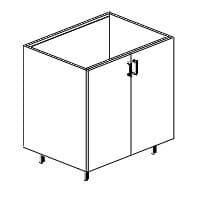
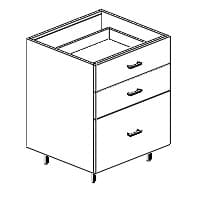
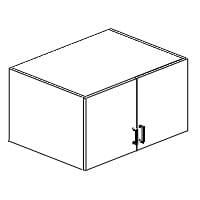
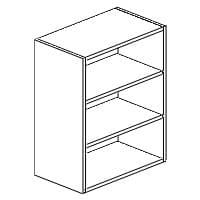
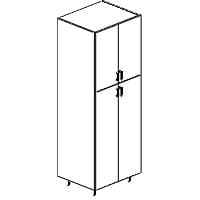
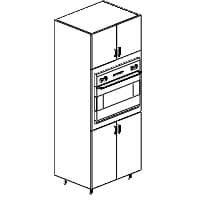
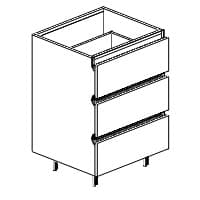
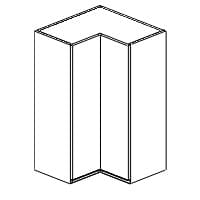
Cabinets, ready to size
Base, wall, tall, vanity and corner cabinets — each generates a full parts list the instant you set dimensions.
Power tools for shops that run on Cabsmith
Everything in Free, plus export, costing and unlimited projects. A subscription that pays for itself in saved sheets.
DXF / SVG / G-code export
For AutoCAD, Illustrator, Fusion 360, VCarve and CNC routers.
Label sheets with QR codes
Brother / Dymo printer support — a label per part.
Cost reports & quoting
Material, edging, cutting and setup costs → a customer-ready quote PDF.
Material library
Reusable materials with color, thickness, grain default and cost.
CSV import & export
Bring parts in from a spreadsheet, push results back out.
Unlimited projects
Past the free 3-project limit — keep every job.
Custom PDF branding
Your shop logo, address and VAT on every export.
Defect map & compare
Mark bad zones on stock; compare two optimizations side by side.